
LibreCAD is a free Open Source CAD application for Windows, Apple and Linux. Support and documentation are free from our large, dedicated community of users, contributors and developers.
You, too, can also get involved!

LibreCAD started as a project to build CAM capabilities into the community version of QCad for use with a Mechmate CNC router.
Since QCad CE was built around the outdated Qt3 library, it had to be ported to Qt4 before additional enhancements. This gave rise to CADuntu.
The project was known as CADuntu only for a couple of months before the community decided that the name was inappropriate. After some discussion within the community and research on existing names, CADuntu was renamed to LibreCAD.
Porting the rendering engine to Qt4 proved to be a large task, so LibreCAD initially still depended on the Qt3 support library. The Qt4 porting was completed eventually during the development of 2.0.0 series, thanks to our master developer Rallaz, and LibreCAD has become Qt3 free except in the 1.0.0 series.
Meanwhile, for LibreCAD 2.2.0 series, Qt5 is mandatory.
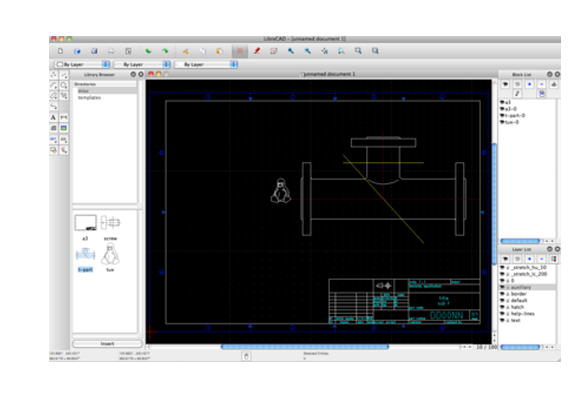
LibreCAD is a feature-packed and mature 2D-CAD application with some really great advantages:
No worries about trials, subscriptions, license costs or annual fees.
Developed by an experienced team and supported by an awesome community, LibreCAD is also free to hack and copy.
It's available in over 30 languages with cross-platform support for macOS, Windows, and Linux.
This is an option for all platforms.
If we don't have the binary installer you are looking for, you can try to build LibreCAD from source code.
How this works for each platform can be read in our manual .
Source code could be downloaded as ZIP archive.
Or you can clone or fork our repository, which is recommended if you plan to contribute.
The LibreCAD team is a small group of dedicated people. Lots of things have been worked out, but plenty of bugs and features are still waiting to be solved. How can you help? We need all the skills in the community as coders, writers, testers or translators.
An open source community is a dynamic thing; people come and go as their private situation drives or stops them contributing.
So, it will always help if you have existing resources we can use, know what other projects do in specific areas, or, most importantly, do what you do best and have fun doing it!
You don't have to sign a lifetime contract to contribute. Whether you can help others in the forum, garden the wiki, or apply one or many patches, our broad user base will appreciate your work.
Come join our community, and contribute in any way you like.
If you are an outstanding developer in C++ or a beginner we can use your help.
With a bit of determination, the IRC channel, Zulip chat and the Libre-CAD-dev mailing list, we can help you get started and make progress.
All you need is linked in download section and top links above.
Developers usually make bad documentation for users, so if you like making documentation, great!
There are continuous GUI changes in LibreCAD that need to be documented.
Help localize LibreCAD, we currently support over 30 languages.
Our translation server is over here: translate.librecad.org/ .
You can complete new languages, or request creating translations for a new language in the forum .
As a non-profit, community driven open source project LibreCAD is dependent on having good relationships with friends and sponsors.

BRL-CAD is a powerful open source cross-platform solid modelling system that includes interactive geometry editing, high-performance ray-tracing for rendering and geometric analysis, a system performance analysis benchmark suite, geometry libraries for application developers, and more than 30 years of active development.
BRL-CAD and LibreCAD collaborate in Google programs.
We participate under the umbrella of BRL-CAD in Google Code-in and Google Summer of Code
where we mentor school pupils and students in participating in open source projects.

Weblate is an open-source, web-based, contiuous localization platform. They generously provide us with a free hosted instance for LibreCAD localization.

Zulip is an open-source modern team chat app designed to keep both live and asynchronous conversations organized. They generously provide us with a free hosted instance for LibreCAD community conversation.
A big thank you also goes to all the supporters on Open Collective and GitHub Sponsors .
With their donations they make an important contribution to maintaining our community.